When a budget is reached
Purpose: know what happens at each threshold and at the limit, find what a budget stopped, and let urgent work through for a day without deleting the budget.
Before you start
- To read a budget: anyone covered by it, plus organisation admins, viewers, Compliance officers Enterprise, Finance and the group admins who may set it.
- To lift one: an organisation admin; a group admin can ask.
As it fills
At each threshold (50%, 80% and 100% unless the budget says otherwise), Vidai tells the budget's people once per period: the organisation's admins and Finance, whoever set it up, the admins of the teams above it, and its agent's or application's owners.
On Home's Needs attention and the bell:
- Budget … passed 80%: a notice, for a threshold.
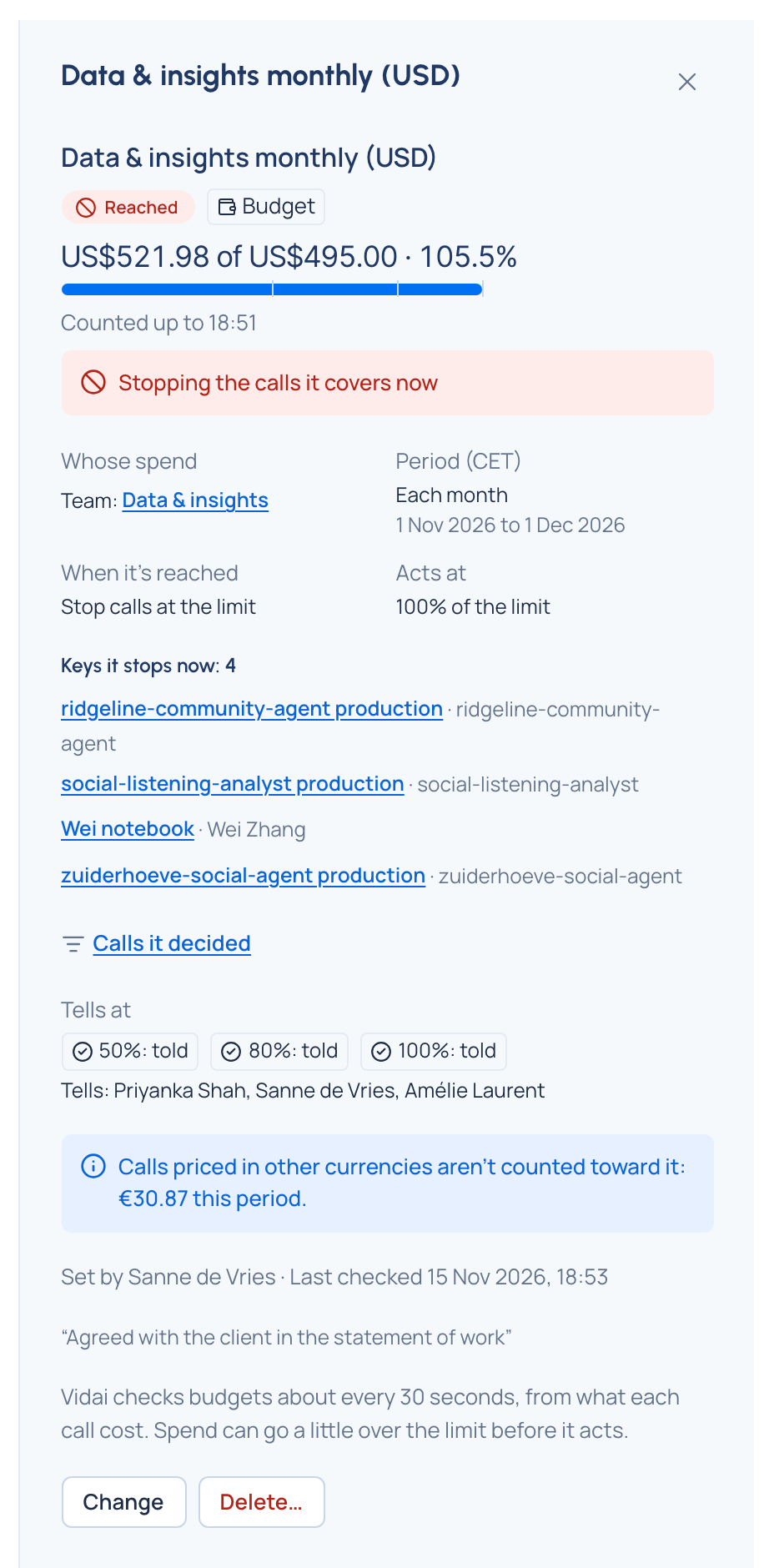
- Budget … is reached: an action, until the period resets or the limit rises. Open the budget goes to it.
- Some calls under budget … aren't counted: a notice naming the other currencies.
The budget's page lists each threshold as told or not yet, and Tells: who is told.
At the limit
| What happens | What callers get | What the budget's page says |
|---|---|---|
| Notify only | Calls are still served | Reached |
| Stop calls at the limit | A refusal in their own SDK's format: "this API key has been disabled", with the reason budget_exceeded, never the amount. The key shows A budget covering it was reached |
Stopping the calls it covers now |
| Send calls to another model at the limit | Their calls are answered by the cheaper model; keys that can't use it are refused as above | Sending its calls to the model now |
A stop ends when the period resets, when the limit rises above the spend, or when the budget is deleted.
Find what it stopped
On the budget's page:
- Keys it stops now: how many working keys it's stopping, and those you may see, each opening on Keys. It stops no key now when there are none.
- Calls it decided opens Request logs showing only the calls this budget refused or sent elsewhere.
Lift it for up to 24 hours
A lift is an override: while it's live, the calls the budget would stop or route go through as asked.
As an organisation admin
- Open the budget on Money › Budgets.
- Choose Lift it for up to 24 hours…. The override form opens with A budget and this budget chosen.
- For: Everything it covers, or One key and which key.
- Hours: a whole number from 1 to 24. It ends by itself; renewing it is a new override.
- Why: say why it has to be lifted.
- Choose Lift it. It starts at once, recorded as approved by you.
As a group admin
- Open your team's budget and choose Ask to lift for up to 24 hours….
- Fill in For, Hours and Why as above, and choose Ask for approval.
- It starts once someone who may approve budget overrides (organisation admins and Finance, unless granted to others) approves it on Approvals.
Check it worked
The budget's page says Lifted until …, the keys it stopped call again, and Open in the audit log shows the override.
Good to know
- Vidai prices each call about two minutes after it's made and checks budgets about every 30 seconds, so spend can pass the limit before calls stop. Act at below 100% leaves room.
- Every budget that covers a call counts it; any one reached acts. Lifting one budget doesn't lift another that also covers the key.
- A member reading a budget that covers them sees it, but not who it tells.