Review findings
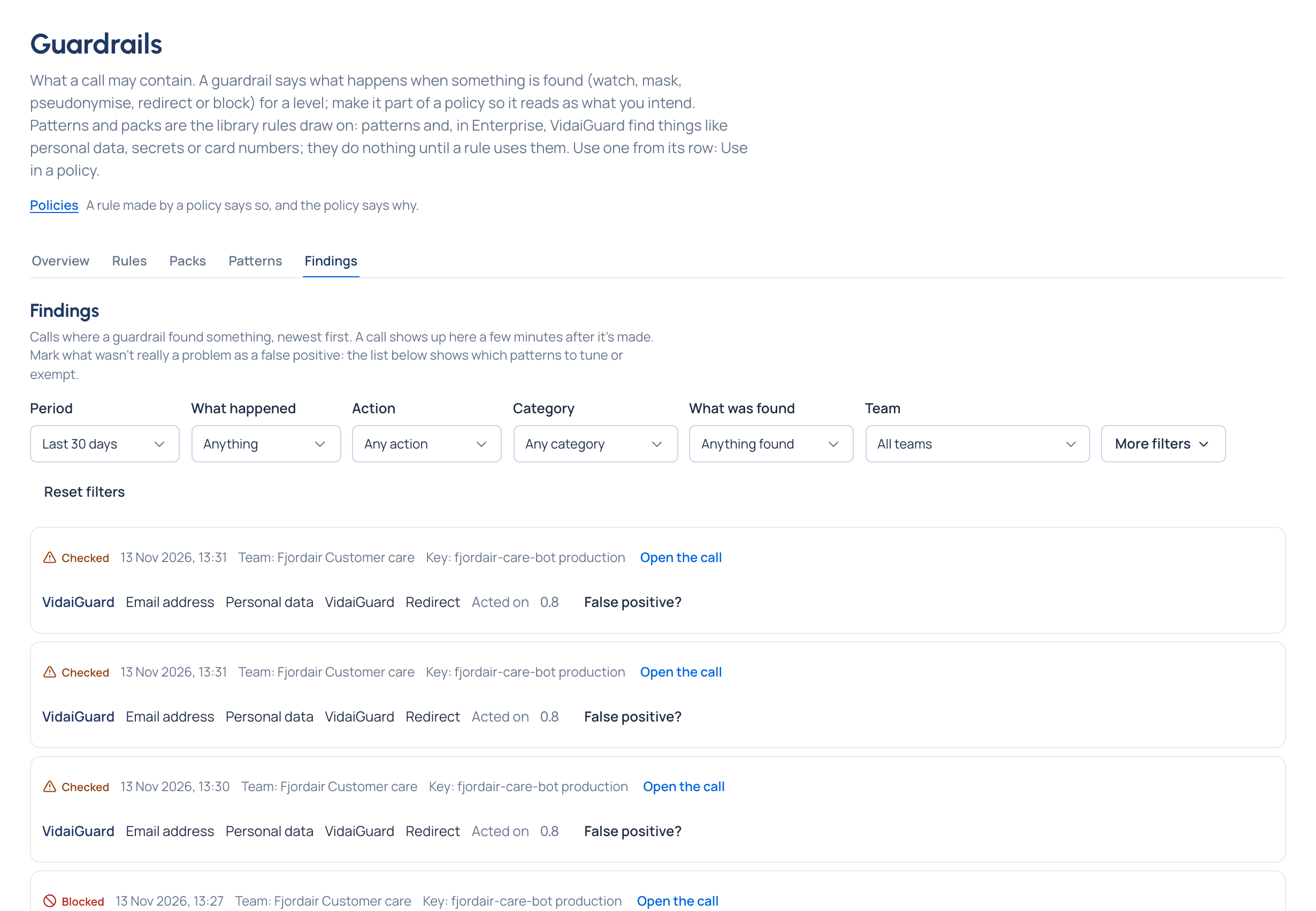
Purpose: a guardrail you can't review is one you can't trust. Findings lists every call where a guardrail found something, newest first, with the team, the key and what was found, so you can confirm it's catching the right things, mark the ones that aren't, and see which patterns need tuning.
Before you start
- You're an organisation admin, organisation viewer, Compliance officer Enterprise, or a group admin for your teams.
Steps
- Open Policies › Guardrails and the Findings tab.
- Narrow it: by period, what happened (blocked, masked, logged), action, category, what was found and team (and the teams below it). More filters adds the check (pattern or VidaiGuard), outcome, pattern, pack, key and since a day.
- Choose Open the call on a finding to read the whole call in Request logs, with the policy that decided it.
- If a finding wasn't a real problem, choose False positive?, add a note if you like, and Mark as false positive.
- Read False positives, last 30 days for the patterns to tune or exempt.
Check it worked
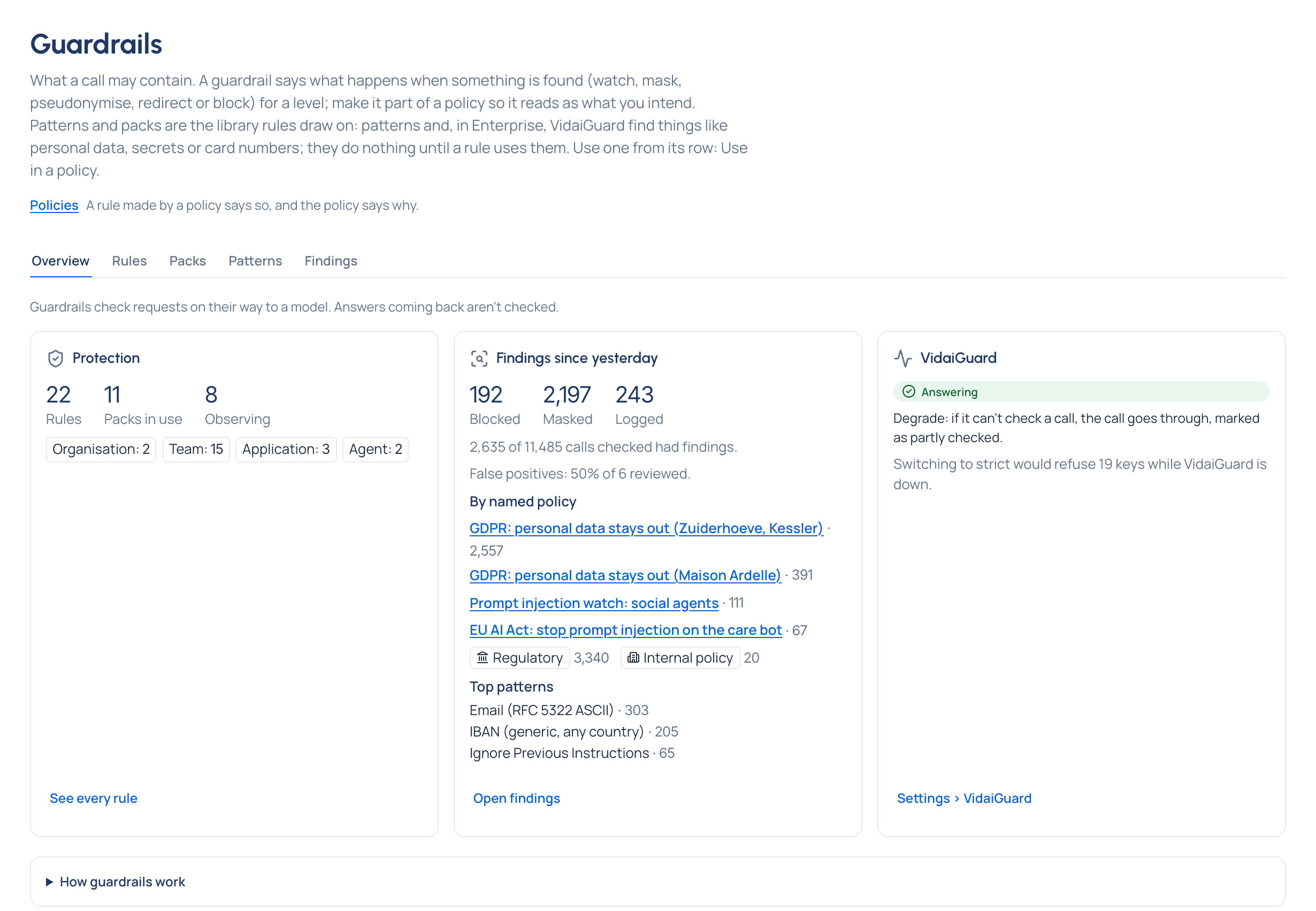
The finding you marked shows as a false positive, and it counts under False positives, last 30 days. Overview shows the false-positive rate of the findings reviewed.
Purge old findings
Organisation admins can Purge old findings: choose a date, Check how many calls' findings would go, then Purge. Request logs keep their record of each call.
Related
- See what a guardrail did to a call
- Write your own pattern: tune a pattern that matches too much.
- Exempt a key: for a key that legitimately sends what a rule finds.
Good to know
- A call shows in Request logs within seconds of being made.
- Findings record what was found and what was done, never the matched text.
- Overview sums up findings since yesterday: calls blocked, masked and logged, findings by the named policy that decided them, and the patterns that found most.