Move a key to another environment
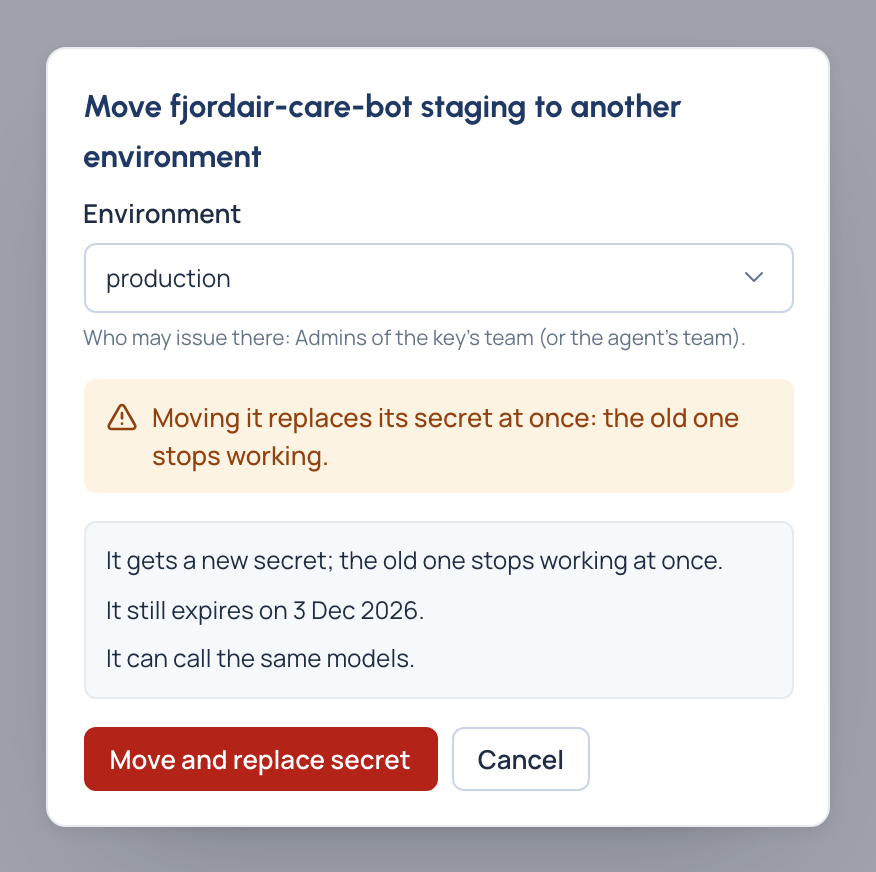
Promote a key from staging to production, or bring one back, without issuing a new key and rebuilding its settings. Before you confirm, Vidai shows what the move changes: its expiry, the models it gains or loses, and the rules it leaves and meets.
Before you start
- You may issue keys in the environment it's going to. Where you may not, the dialog says so and waits.
- The move replaces the secret at once: have whatever uses the key ready to take the new one.
Steps
- Open Keys and choose the key.
- Choose Move to another environment.
- Choose the environment. The dialog then says what the move changes:
- it gets a new secret and the old one stops at once;
- its expiry after the move (an environment with a shorter longest key life brings it forward);
- the models it gains and loses;
- the rules it leaves and the rules it meets.
- Choose Move and replace secret, and copy the new secret. It stays on screen until you choose Done.
Check it worked
The key's Environment shows its new place, and its detail lists its models there. Point the program at the new secret.
Good to know
- For agents, it's often simpler to issue a key per environment and leave each where it is: an agent isn't tied to one environment. See Give an agent a key.
- Moving keys to another team isn't offered; for a person's key, Edit changes the team it acts for.