Set a guardrail at a level
Purpose: different parts of your organisation need different protection. Card numbers may be blocked for everyone, while one client team masks email addresses and another pseudonymises names. On Guardrails › Rules you see, for one level, every category and pack with the action that acts there, where it comes from, and the floor a level above sets, and you change it on the row.
The five actions
Strongest first. When several rules cover the same thing, the strongest wins.
| Action | What happens to the call | Use it for |
|---|---|---|
| Block | Refused before any model sees it; the app gets 403 with the code content_guardrail_blocked |
Card numbers, secrets and keys, prompt injection |
| Redirect | Sent to a model you choose instead of the one asked for, usually one you run where the data may go | Health or other special data that may only be processed in your region |
| Pseudonymise | Found values are swapped for realistic stand-ins; the originals are put back in the answer | Names and emails the model needs to reason about, but must not see (how) |
| Mask | Found values are blanked out; the rest of the prompt goes through | Personal data the model doesn't need |
| Log only | Goes through unchanged; the finding is recorded | Watching before you decide |
The levels
A rule is set at one level and reaches every key below it: the organisation, an environment, a team (and its sub-teams), an application (the keys acting for it), a person or agent, or one key. A level can only tighten what's above it: if the organisation blocks card numbers, no team can set them to mask.
Before you start
- You're an organisation admin, or a group admin for your own teams (organisation viewers and Compliance officers Enterprise read the rules).
Steps
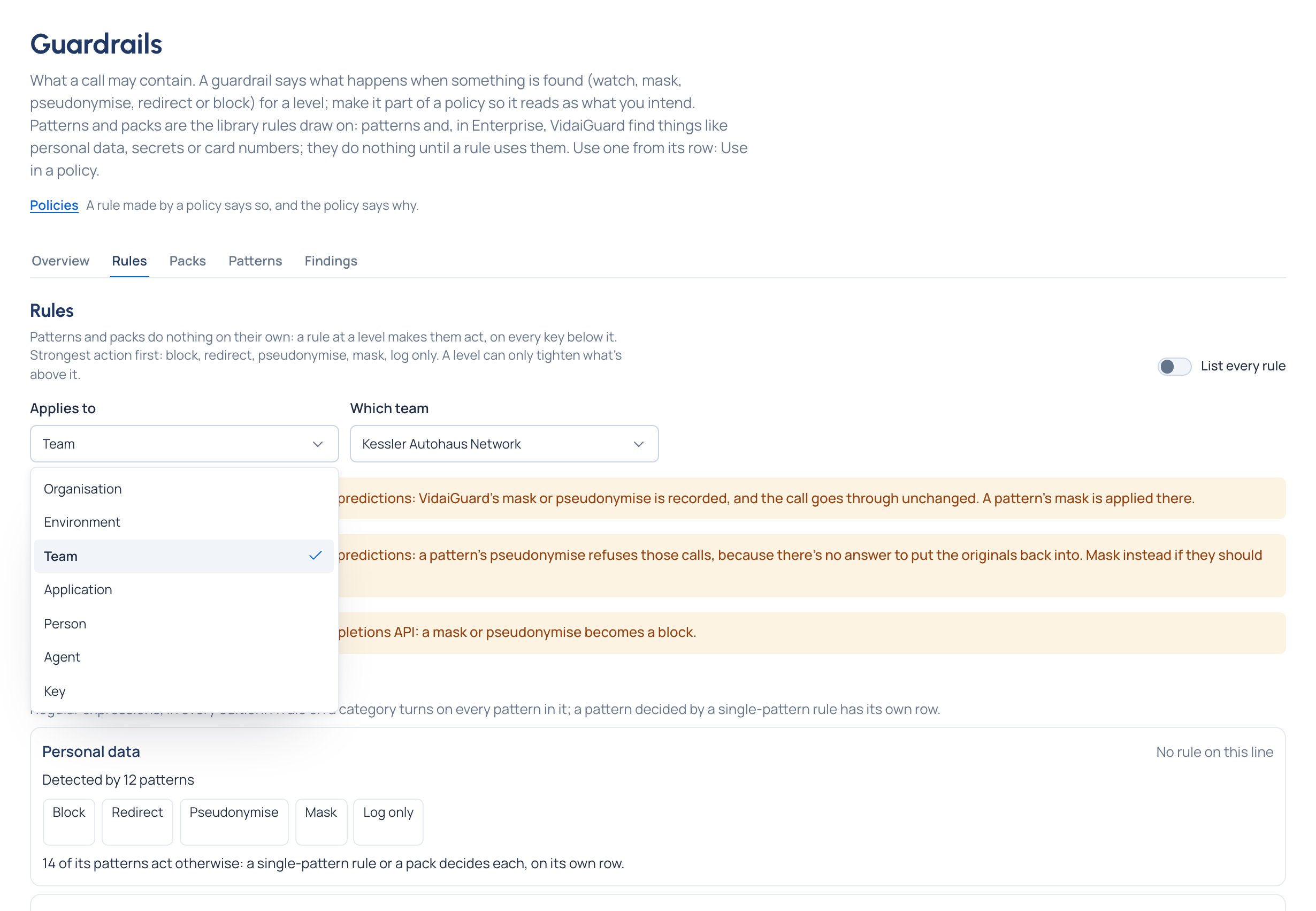
- Open Policies › Guardrails and the Rules tab.
- Choose where it Applies to, for example Team › Kessler Dealer campaigns.
- Under Pattern checks, find the row: a category (Personal data, Secrets, Prompt injection, …), a pack used at this level, or a single pattern a rule names. Each row says what detects it ("Detected by 41 patterns"), the action that acts here, whether it's set here or inherited from a level above, and the floor ("A level above sets Block: this level can't go under it").
- Change the action on the row. Actions that can't be chosen are greyed, with why (for example No stand-in exists for this on card numbers).
- For Redirect, choose the provider, then the model under Redirect to, and Save the redirect. Models that can't be used here are listed under Not available, with why.
- Where VidaiGuard is set up Enterprise, the VidaiGuard checks section has a row per AI category, each saying Checking or Not checking and which VidaiGuard models find it; while its checks are off or it isn't answering, a line above says what runs meanwhile. While VidaiGuard isn't set up, one calm line stands in for the section: pattern checks act on their own, and Settings › VidaiGuard sets it up.
If a save is refused because a level above sets something stronger, the message names the rule that decides it ("Set stronger by the rule at the organisation") and offers the accepted setting as one click (Use Block instead).
Check it worked
The row reads your action with set here. Switch on List every rule to see it as a sentence ("Mask Personal data for Team: Kessler Dealer campaigns") with its mode and who set it. Its page shows What it does here and links to Calls it decided in Request logs.
Change, pause or remove one rule
Switch on List every rule and open the rule:
- change its action, Check what it changes (for each key, each check that changes, before → after), then Save;
- Promote to enforce if it only observes;
- Pause… with a reason (it acts on no call until someone chooses Resume), or delete it;
- Exempt a key… or lift it for a while (Exceptions).
Related
- Make a policy with New policy: the same rules, made from one intention.
- Pseudonymise personal data
- See what applies here
Good to know
- Findings about a whole message (an injection attempt, toxicity) can only be blocked or logged: there's no piece of text to replace.
- Card numbers, IBANs, IP addresses and government IDs can't be pseudonymised: mask them.
- Only personal data can be redirected by VidaiGuard.
- On the Responses or Completions API, a mask becomes a block.
- Keys calling embeddings, rerank or predictions get a pattern's mask; VidaiGuard's mask or pseudonymise is recorded only, and a pattern's pseudonymise refuses those calls.
- A rule card says Not acting here when a stronger rule above wins on every key, and Already in place when a rule above already does the same; both name the other rule.