Set the gateway address your apps use
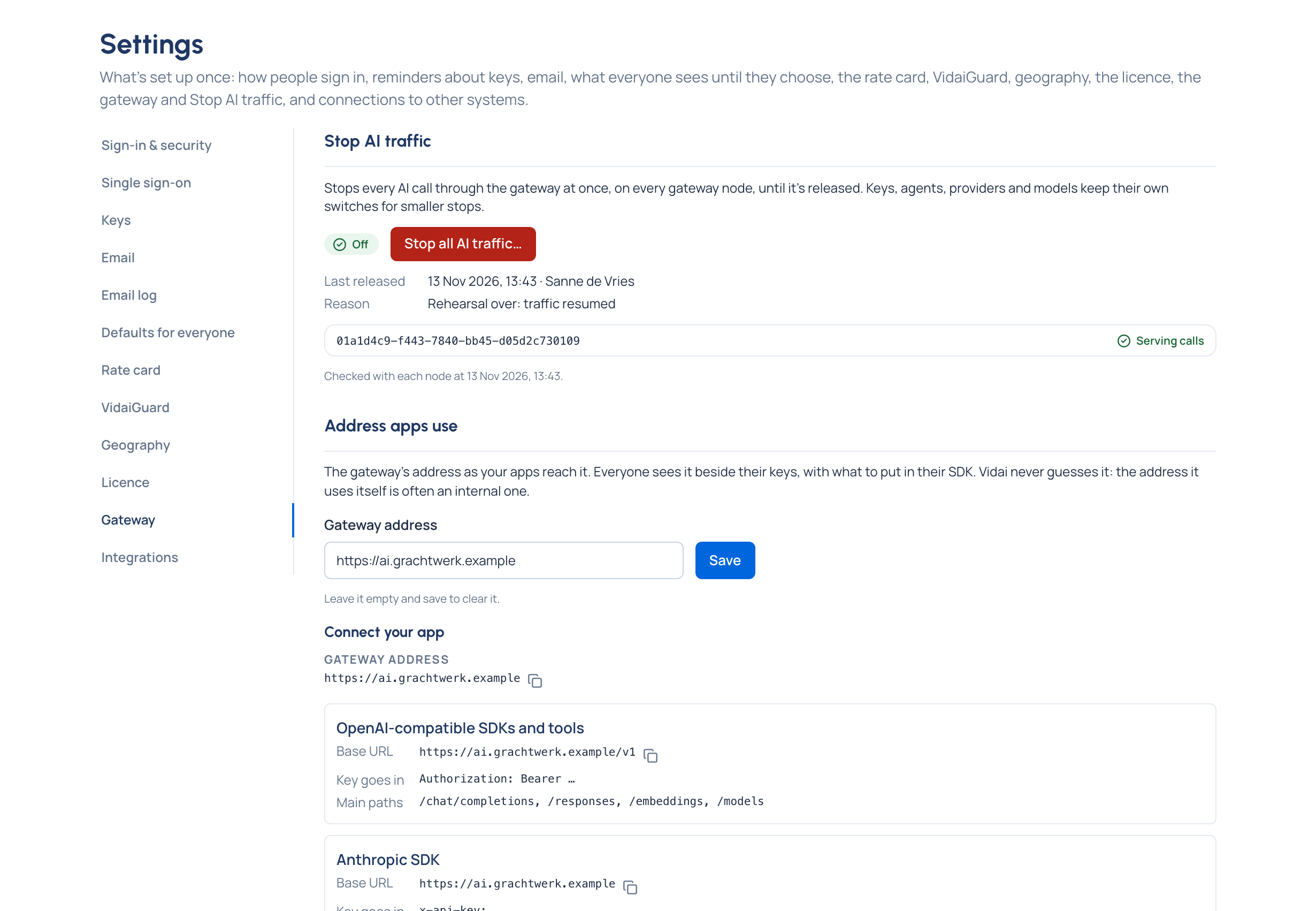
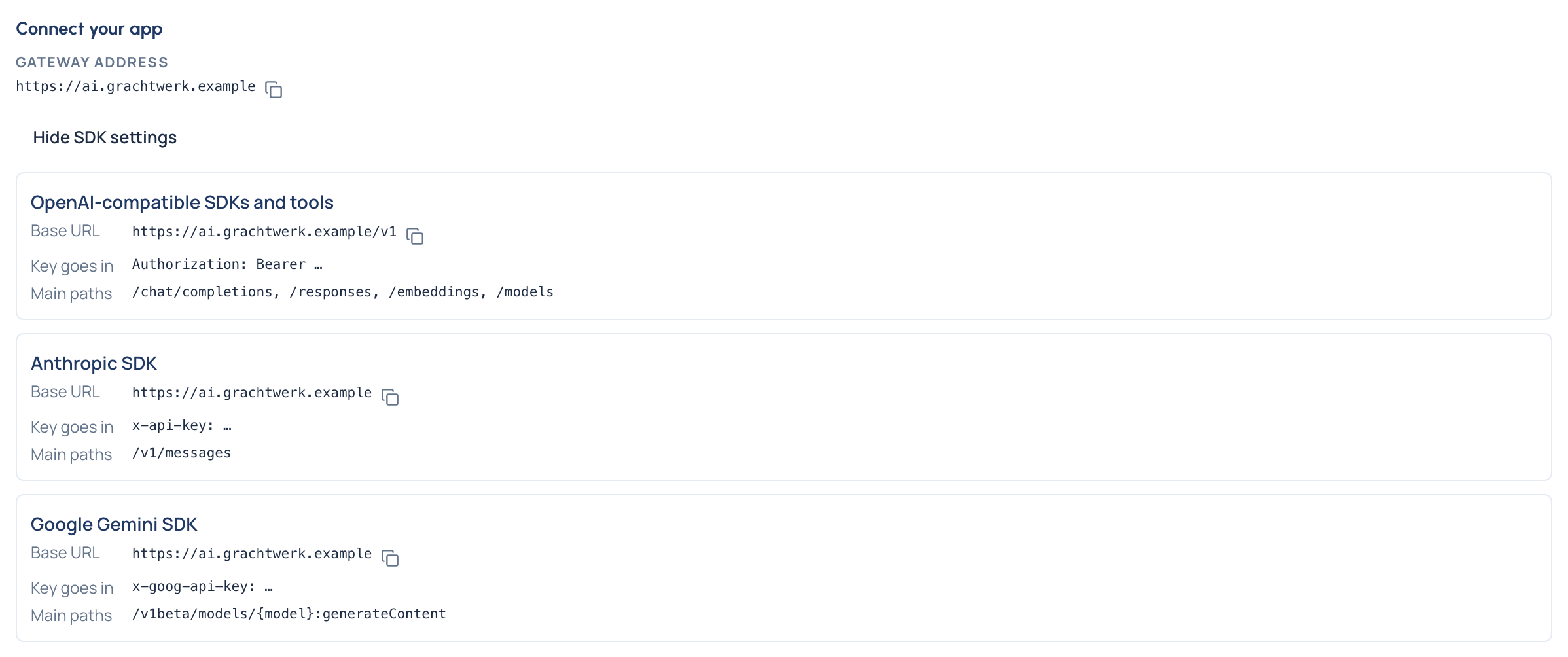
Purpose: a developer with a new key should never have to ask "what's the base URL?". Set the gateway's address once, and everyone sees Connect your app beside their keys: the address, and for OpenAI-compatible SDKs, the Anthropic SDK and the Gemini SDK, the base URL to copy, where the key goes and the main paths.
Before you start
- You're an organisation admin. Organisation viewers and Compliance officers Enterprise can read it.
- You know the address your apps reach the gateway at, as they see it, for example
https://ai.grachtwerk.example. Vidai never guesses it: the address it uses itself is often an internal one.
Steps
- Open System › Settings › Gateway and find Address apps use.
- Enter the Gateway address, with
http://orhttps://. - Choose Save.
Check it worked
- The page says "Saved. Everyone now sees … beside their keys."
- Open Keys: Connect your app shows the address. Show SDK settings lists, for each request format, the Base URL, where the Key goes in and the Main paths, each with a copy button.
Until it's set, people read "An organisation admin hasn't set the gateway address yet. Ask one to add it in Settings › Gateway." To clear it, empty the field and save.
Timing
Two settings on the same page tune the gateway:
- Share rate-limit counts every, in seconds (1 to 10): how often gateway instances share how many calls each key made. Lower is tighter. Leave it empty for the gateway's own (1 second). Choose Save sharing interval.
- Read new calls every, in seconds (1 to 60, 3 unless changed): how often Vidai reads the gateway's new calls, so Request logs show a call within seconds. Choose Save reading interval.
Each field has its own save button, so changing one leaves the other as it was.
The same page lists the gateway instances, as on System › Status.
Good to know
- The change is recorded in the audit log, with the address before and after.