Where prices come from
The question: "Why did this call cost that?"
What you gain: nobody maintains a price spreadsheet. Every call is priced from one source, at the price that applied at that moment, and you can show which price that was.
The rate card
The rate card is a published list of model prices, per provider, tier and region. An organisation admin connects it once in Settings › Rate card; Vidai syncs it on a schedule (daily by default) and keeps its own copy, so pricing keeps working while the rate card is unreachable.
Prices are shown exactly as the rate card publishes them: in its own currency and units, such as "$2.50 per 1M tokens" or "$0.08 per image". Most lines are in US dollars; some providers publish in euros or yuan.
Prices follow where the provider runs. A provider's placement (its region) chooses the regional price, so the same model can cost more in one region than another.
Prices with history
- Each call is priced at the price in force when it was made. Every price has a start and, once replaced, an end; every version is kept. A new price applies from its start, never to calls before it.
- Calls already costed keep their cost. A price added, corrected or back-dated later changes new calls only. To re-price the past, you recompute Enterprise, and even then locked days never change.
- The first price on file also covers earlier calls, because the rate card dates a price from when it first published it.
- A price the rate card retires ends there. When a vendor's pricing page stops listing a model, the rate card retires its price and Vidai closes it at that moment: later calls are unpriced, never priced from a stale card, and earlier calls keep their price. The model says it has no price, so someone sets a manual price or chooses another entry.
- A price for a period counts only within its days, such as an introductory price followed by the standard one: each call is priced with the one in force when it was made.
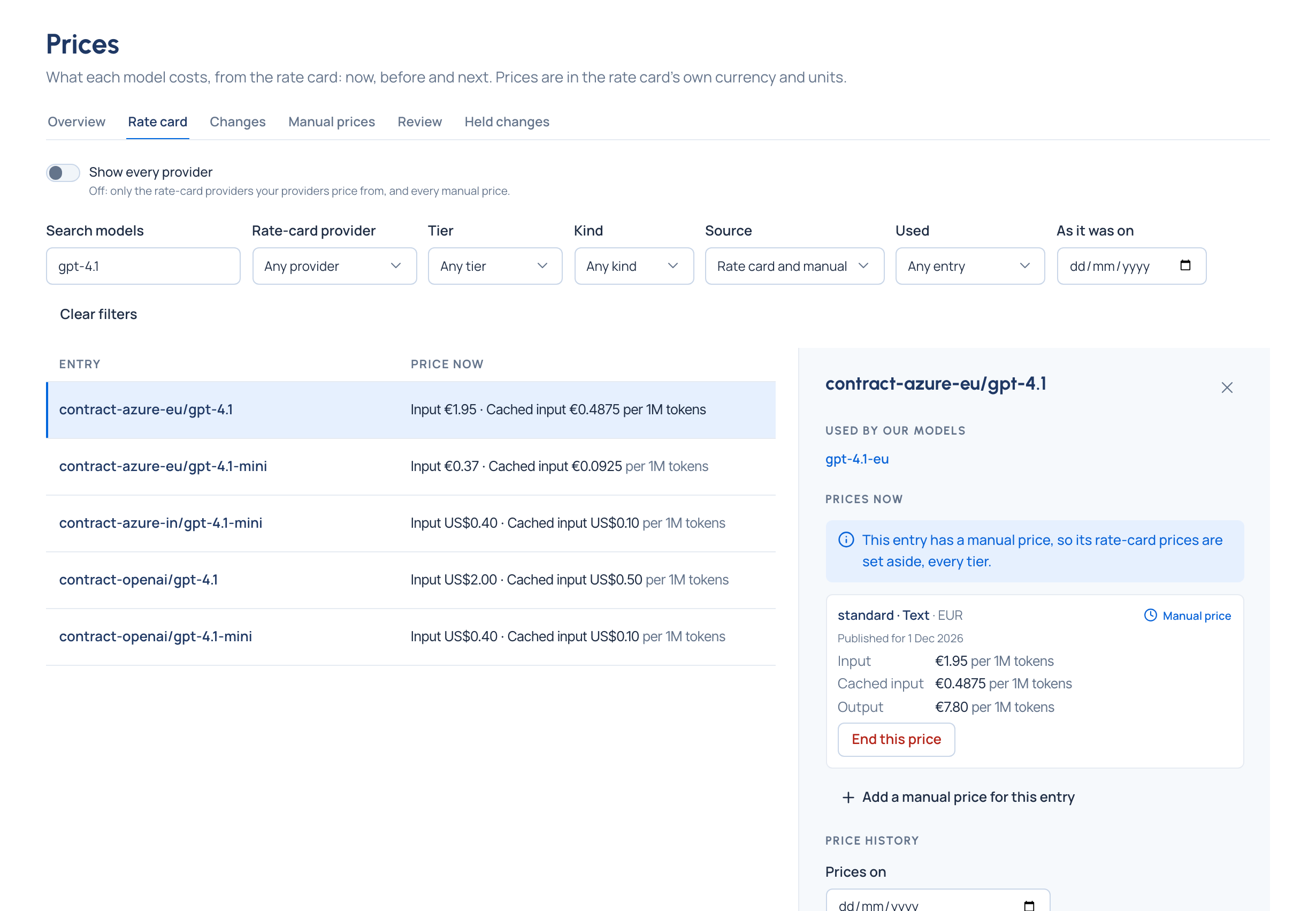
- Look back to any day. Money › Prices › Rate card has As it was on: pick a day and the whole card shows the prices in force that day, by the same rule that priced a call made then.
Your own prices
A manual price sets a line's price yourself: your negotiated contract rate, or a model the rate card doesn't list. Organisation admins and Finance add them on Money › Prices. A manual price overrides the rate card for that line, every tier, until you end it. Add a manual price
A safety catch on big jumps
When a rate-card sync moves a price by the hold factor or more (3 times by default), the new price isn't used. It's held, and the old price stays in force until an organisation admin or Finance accepts or rejects it. A price that jumps eightfold overnight is more often a mistake in the feed than a real change, and it would change what every call costs. Decide a held price change
Free and unpriced are different
| What you see | What it means |
|---|---|
| Free | A real zero: the rate card publishes 0, or someone marked the model free |
| Unpriced | The cost is unknown: no price for that model, tier or part of the call. Never counted as zero; every total says how many it leaves out. A call unpriced for one part says which ("no rate for cache reads") |
| Refused before running | A call a policy stopped before it reached a model. It used nothing, so there's nothing to price |
| Waiting for a price | Not priced yet, for example while no rate card is connected; it's priced once one is |
A model whose price needs a person (several rate-card lines could match, or none does) is listed on Money › Prices › Review. A guess is never used as a price. Price a model that has no price yet
Which currency prices a model
Most rate-card lines are published in one currency, and that's the price. Where a line is published in several, Vidai chooses the same way on every sync: the provider's own Price in currency, then the organisation's Default price currency (US dollars unless an organisation admin changes it), then the line's own currency. Nothing is converted. Work with several currencies