See what changed on a provider
Purpose: when calls to a provider start failing or costing more, the first question is what changed. Every provider keeps its own history: settings before and after, keys added or removed (named, never shown), connection tests and where it ran over time.
Before you start
- You're an organisation admin or an organisation viewer.
Steps
- Open Models & routing › Providers and choose the provider.
- Open its History section.
- Read the entries, newest first. Choose Show older for earlier pages. You'll see:
- Added, with its first settings;
- Settings changed, with each setting before and after, and who changed it;
- keys added, removed or made the main key (by name only);
- Find models runs started from its page;
- connection tests and their outcome;
- where it ran over time;
- the gateway refusing a change, and copies made to another region.
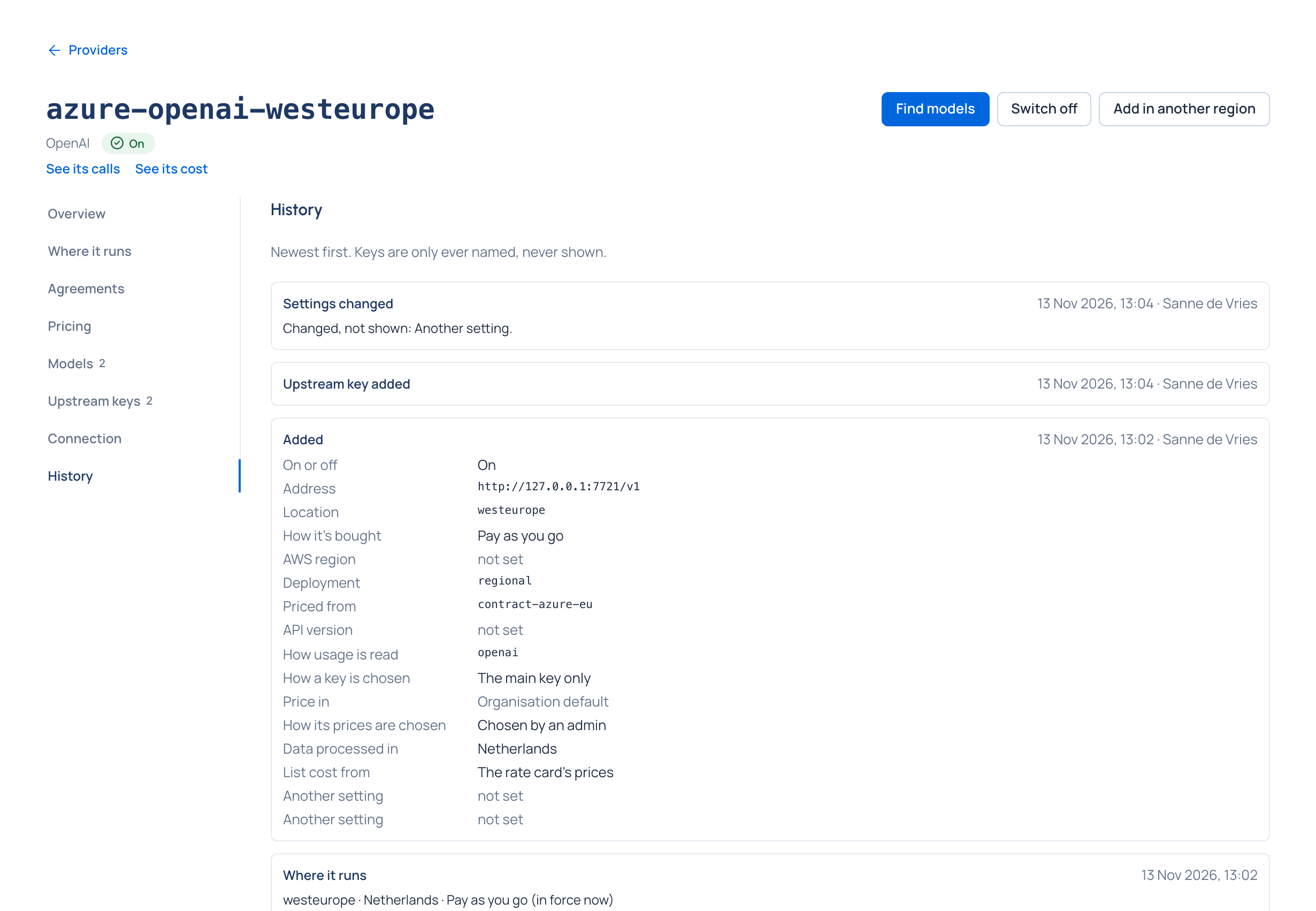
Check it worked
The newest change you know of is at the top, with who made it and when. The same events are in Proof › Audit, among everything else the organisation does.
Related
Good to know
- A Find models run started while adding the provider is on its Overview, not in History.