See what a guardrail did to a call
Purpose: a developer says "my call was refused"; a data protection officer asks "was that email address really masked?". Every call in Request logs says what the guardrails found, what they did, and which rule and named policy decided it, as it was when the call was made. The answer is one click from the request id the app got back.
Before you start
- Anyone can read their own calls. Organisation admins, viewers, Compliance officers Enterprise and Finance see every call; group admins see their teams'.
- The prompt itself stays hidden unless you hold the Content reader role: you don't need it to see what the guardrails did.
Steps
- Open Daily › Request logs.
- Find the call:
- paste the
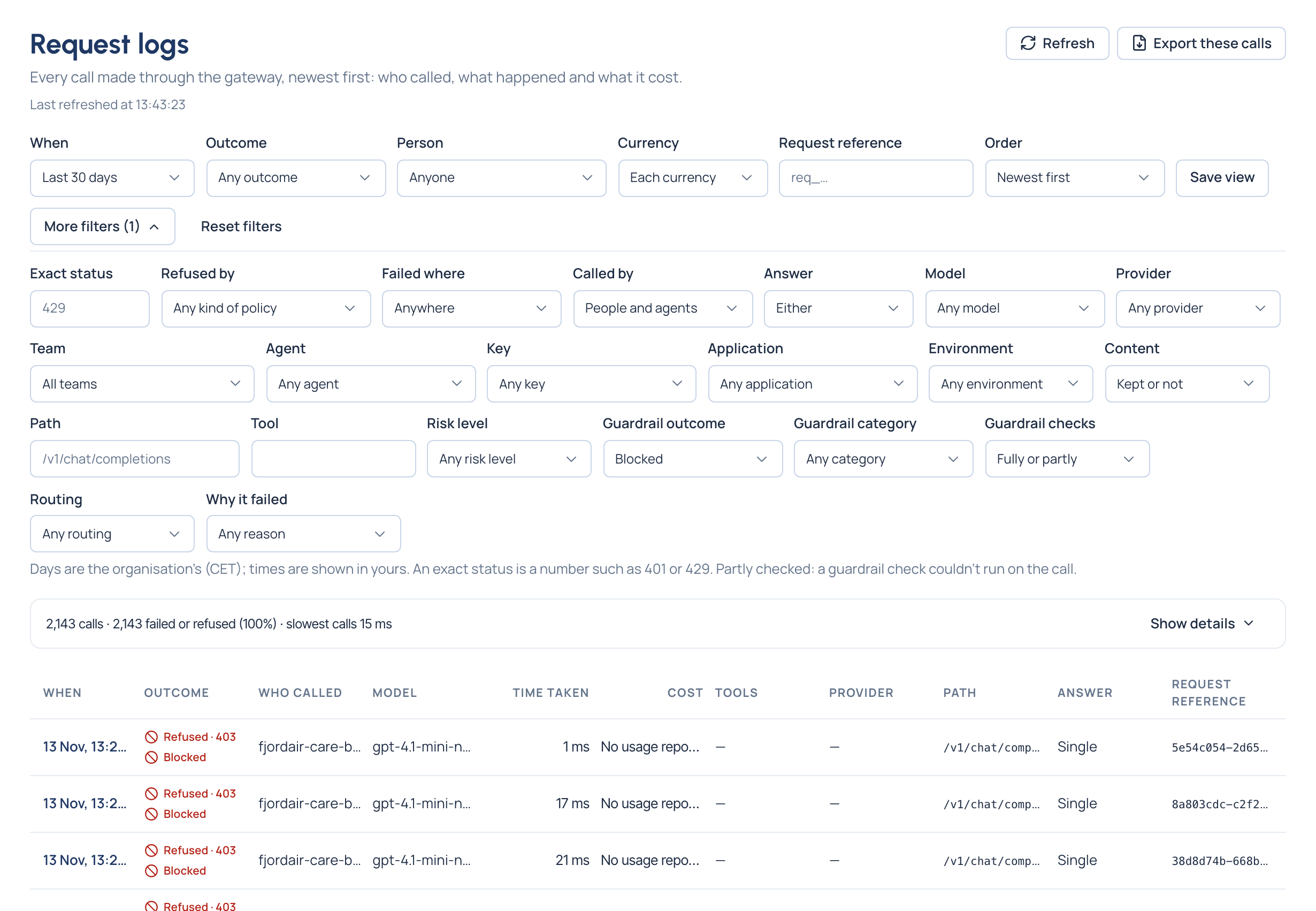
x-vidai-request-idthe app got into Request reference; or - under More filters, set Guardrail outcome (passed, blocked, masked, pseudonymised, redirected, logged), Guardrail category (for example personal data) or Guardrail checks (Partly checked).
- In the list, a second mark beside each call's outcome says what the guardrails did: Blocked, Masked, Pseudonymised, Redirected or Logged.
- Open the call and read:
- Why this happened: every rule that acted, in the order the gateway weighed them, with a guardrail step saying what it did and Decided by the guardrail, linked;
- Guardrails: the findings in two groups, Patterns and VidaiGuard (Enterprise). Each says its category and what was found, in words (an email address, a person's name, a card number), the pattern's name when it's one of yours, and what was done: Blocked, Masked, Pseudonymised, Logged, or Redirected with the model the call was sent to. Under it, Decided by names the guardrail policy that decided it, where it's set and Part of its named policy, as they were when the call was made. VidaiGuard's findings say who decided too.
What each outcome looks like
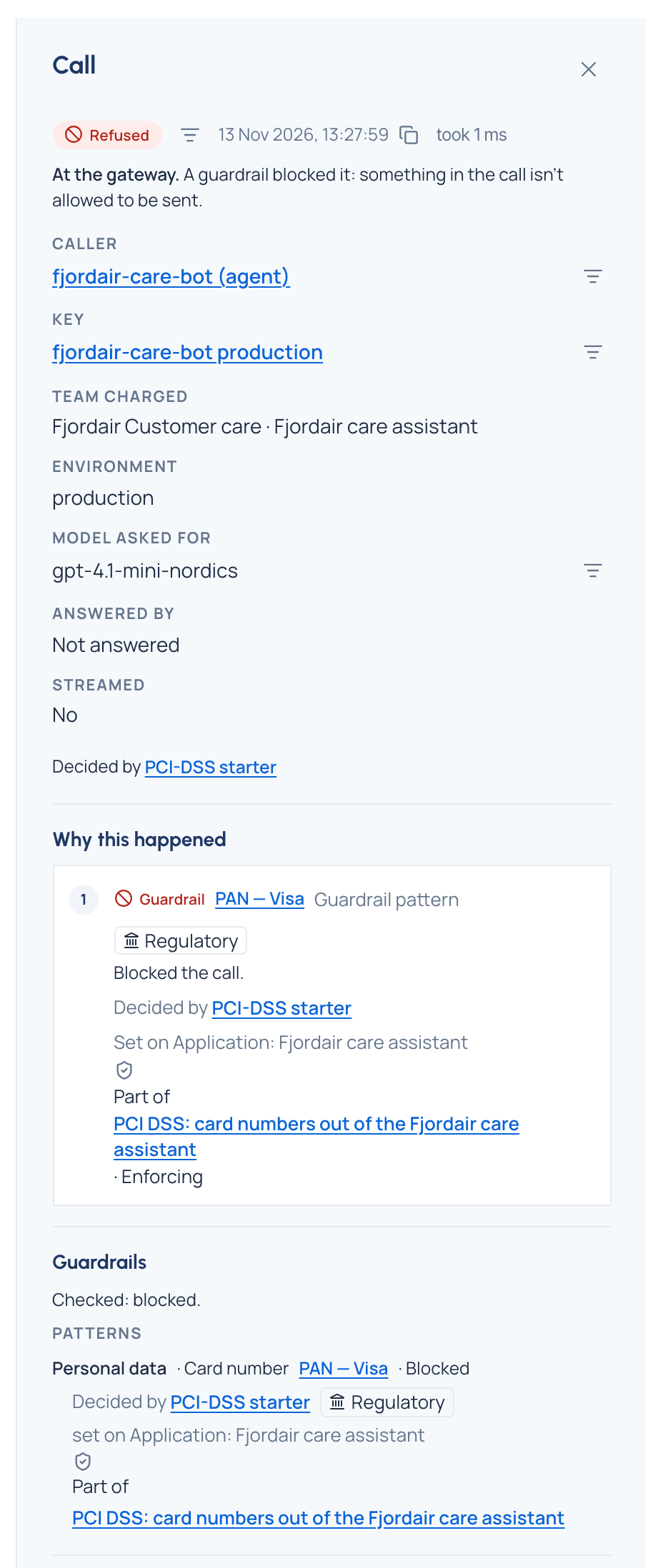
The call reads "A guardrail blocked it", and nothing reached a model. The app got 403 with the code
content_guardrail_blocked in its own SDK's error format.
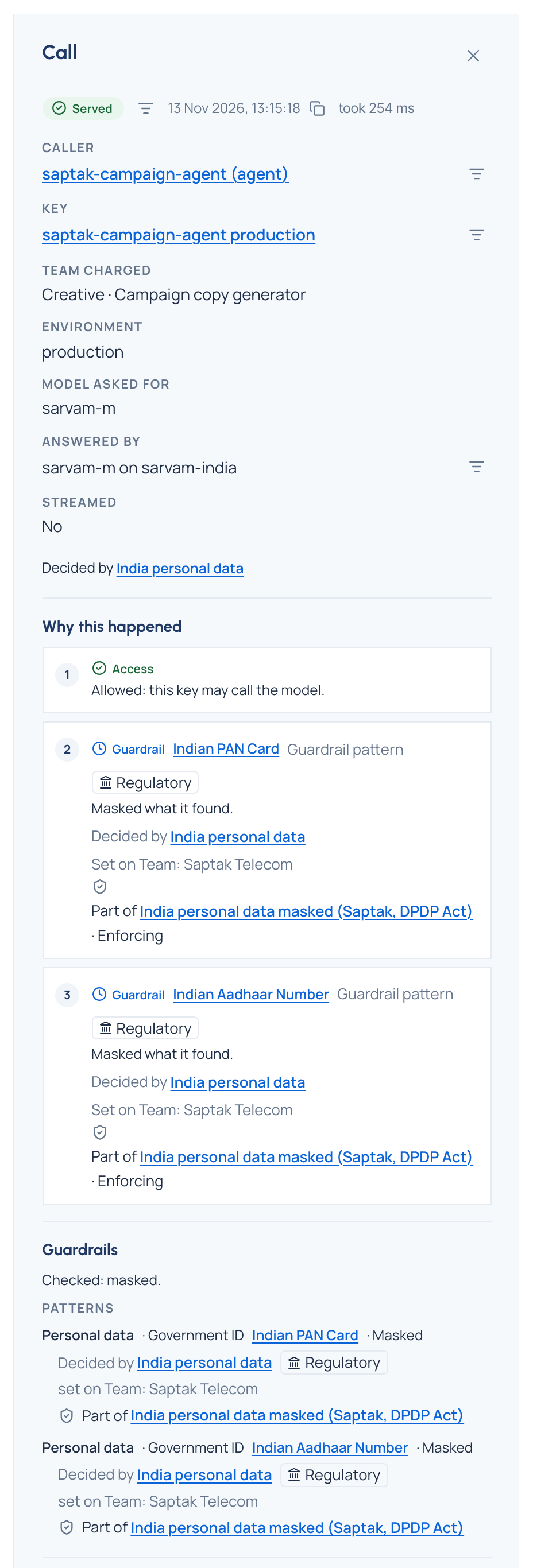
The call was served. Its findings say Masked: the values found were blanked out before the model saw the prompt.
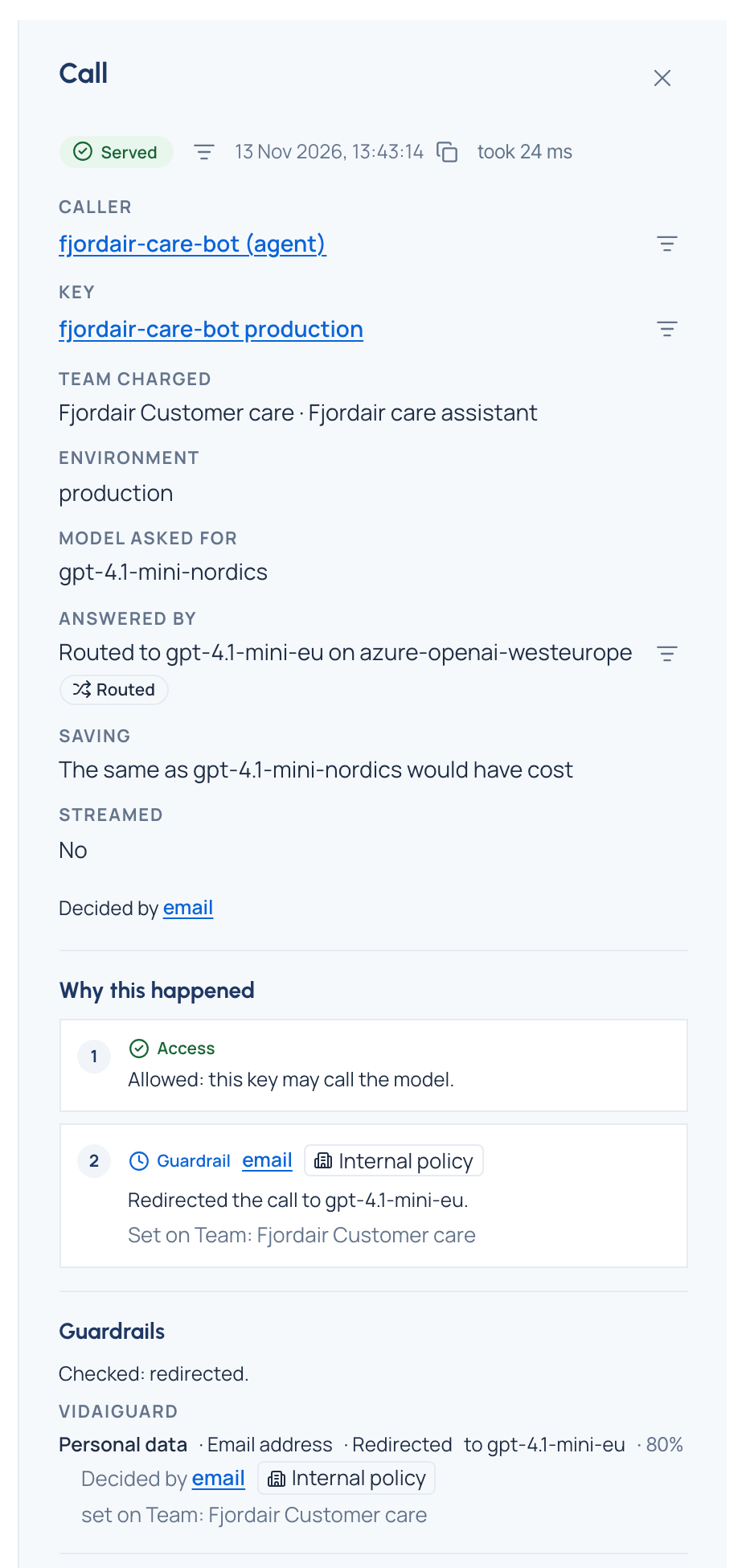
The call was served by another model. Answered by names the model the guardrail sent it to, Why this
happened says "Redirected the call to …", and the finding reads Redirected to that model, with what was
found and who decided. The app's x-vidai-model header says the same, and x-vidai-requested-model the model it
asked for.
The call was served with stand-ins in place of the values found; the answer carried the originals back, and the
header x-vidai-pseudonymised: 1. See Pseudonymise personal data.
The call went through unchanged; the finding is recorded. This is what a guardrail in an observing policy does.
Check it worked
From a guardrail's own page, Calls it decided opens Request logs on exactly the calls that rule decided, with Decided by and its name under the filters.
Related
- Review findings
- Watch first, then enforce
- Investigate a call in Request logs: the whole story of a call, not only its guardrails.
Good to know
- Request logs show a call within seconds of being made.
- If a check the call's rules chose couldn't run, the call says so: "Checked by patterns only: VidaiGuard is off" (a rule uses VidaiGuard while it's off or not set up) or "Checked by patterns only: VidaiGuard wasn't answering" (it was on, set to degrade, and didn't answer). A call whose chosen checks all ran is never marked partly checked.
- Where two VidaiGuard findings overlapped, the longer one decided; the others are marked Superseded by a longer finding.
- A call made with the gateway's request logging off is still listed, with its outcome and what the guardrails did; it says its content wasn't kept.