See your licence and edition
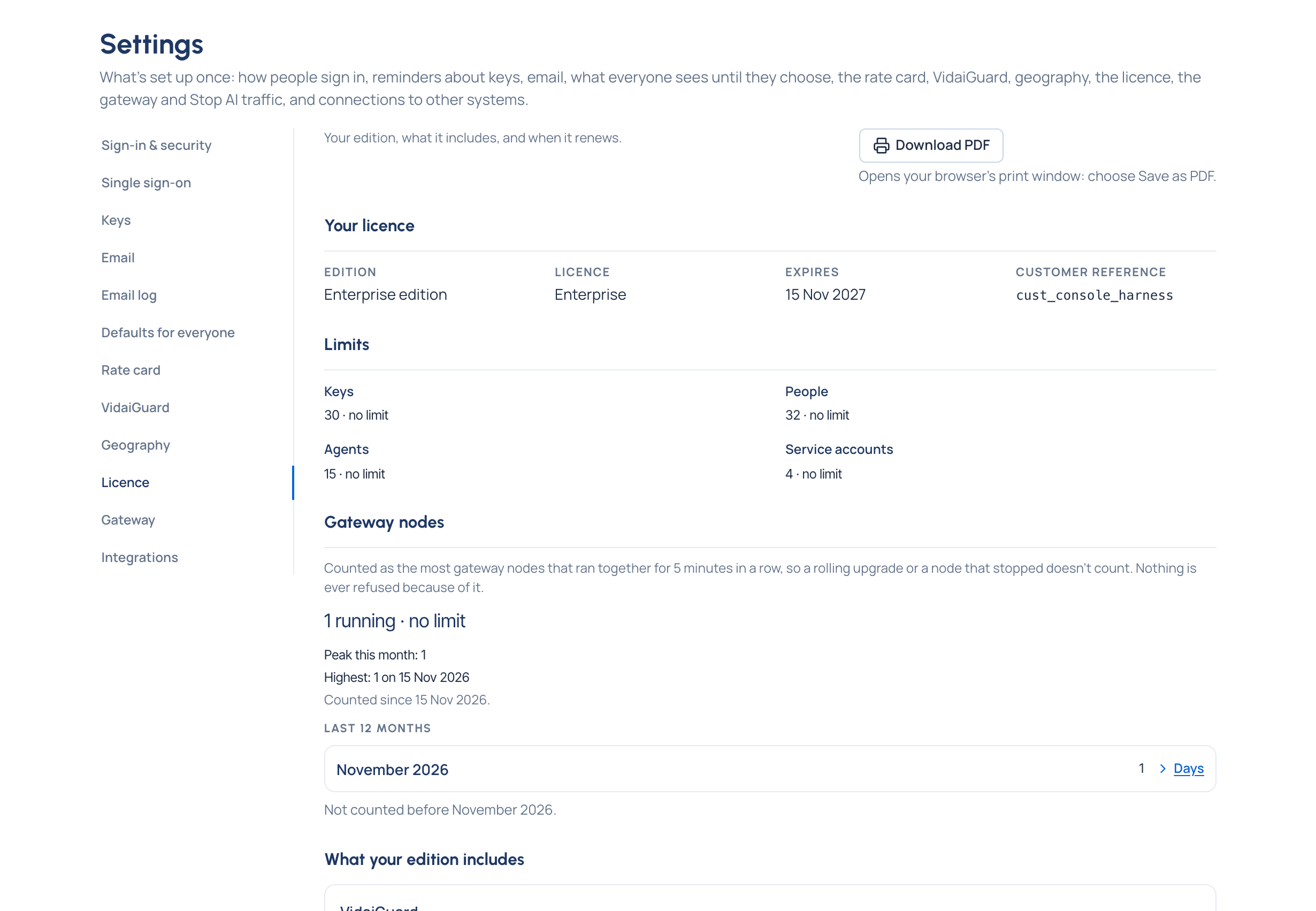
Purpose: know before a renewal or a support call what you have: your edition, which features your licence includes, how close you are to its limits, and the version of every part, in one place you can print.
Before you start
- Organisation admins, organisation viewers and Compliance officers Enterprise open System › Settings › Licence.
- Everyone else opens Your edition from Search or jump to…: their edition and what it includes.
Steps
- Open System › Settings › Licence.
- Read Your licence: the edition (Community or Enterprise), the licence, when it expires, and your customer reference to quote to your Vidai contact.
- Read Limits: people, keys, agents and service accounts you use against what the licence allows.
- Read Gateway nodes: how many gateway nodes run against what the licence allows, for example "3 running, your licence allows 2", with Within the licence, Over: deployment allowance or Over the licence, this month's peak and the last 12 months. Choose Days on a month to see each day.
- Read What your edition includes: each feature is Included, Needs a licence or Needs the Enterprise edition.
- To attach it to a renewal, choose Download PDF and pick Save as PDF in your browser's print window.
Check it worked
Versions lists what support asks for: this Control room, the gateway (with Supported or Too old), the oldest gateway Vidai works with, and the database revision.
Install or renew a licence
The licence key is set on the gateway by whoever runs your Vidai servers, then the gateway is restarted. The Control room never asks for a licence key. To renew, ask your Vidai contact for a new key.
| Notice | What to do |
|---|---|
| Your licence ends in N days | Renew with your Vidai contact. Everything keeps working until then |
| Your licence has expired. Everything keeps working for N more days | Renew before the days run out |
| The grace period is over | Enterprise features are paused and limits are lower. Nothing has been deleted; renewing restores everything |
| Running without a licence | Evaluation limits apply. Add a licence to lift them |
| The licence key wasn't accepted | Ask your Vidai contact for a new key and give it to whoever runs your Vidai servers |
| More gateway nodes have run than your licence allows | Nothing is refused. Run fewer gateway nodes, or ask your Vidai contact for a licence that allows more |
Good to know
- Nearly at the limit shows from 90%; at Limit reached, nothing more of that kind can be created. Nothing existing stops working.
- Gateway nodes are counted, never refused. The count is the most nodes that ran together for 5 minutes in a row, so a rolling upgrade doesn't count. A deployment may run up to twice the limit for up to an hour (Over: deployment allowance); longer, or more than twice the limit, is Over the licence, and everyone signed in sees a notice. It clears within 15 minutes of the count coming back under the limit.
- The PDF's paper size and margins are your browser's.