People and roles
Access that grows by habit is how AI spend and data leak. Vidai gives each person the reach their job needs: a role, on a level, until a date if you like, with the reason kept. Everyone else sees only their own work. And nobody widens their own access alone.
People
A person is their email address: no two people share one. They join by an invitation (a link that works once and expires in 7 days, or one emailed for you), a temporary password they replace on first sign-in, or single sign-on with your identity provider. Each person can turn on multi-factor sign-in, and your sign-in policy can require it.
Every person is a user: they use the models their teams allow, hold their own keys, see their own calls and cost, and own the agents and applications they make. Roles add to that.
The roles
Roles add up: a person holds every power of every role they have, each on what it was given on.
| Role | Given on | What it's for |
|---|---|---|
| User | Everyone | Their own keys, calls and usage; the agents and applications they own |
| Owner of an agent or application | That agent or application | Look after it and its keys |
| Group admin | A team | Run that team and every team under it: people, keys, agents, applications, their calls and cost |
| Organisation viewer | The organisation | See everything, change nothing. Holds no keys |
| Organisation admin | The organisation | Change everything, including Stop AI traffic |
| Finance | The organisation | Every cost, the rate card and price history; manual prices, markups, the billing lock and exports. Nothing outside cost and prices |
| Content reader | The organisation, a team, an agent or an application | Read what calls there sent and got back, and nothing else |
| Compliance officer Enterprise | The organisation | See what an organisation viewer sees; write compliance policies and risk levels; approve guardrail exceptions |
Three permissions sit beside the roles, for anyone you choose: Approve budget overrides, Approve guardrail overrides and Manage approved destinations. The full matrix of who may do what is in the roles reference.
What Enterprise includes depends on the features your licence includes; on Community, the roles above other than Compliance officer are all there. On Community, guardrail overrides are approved by the people given Approve guardrail overrides.
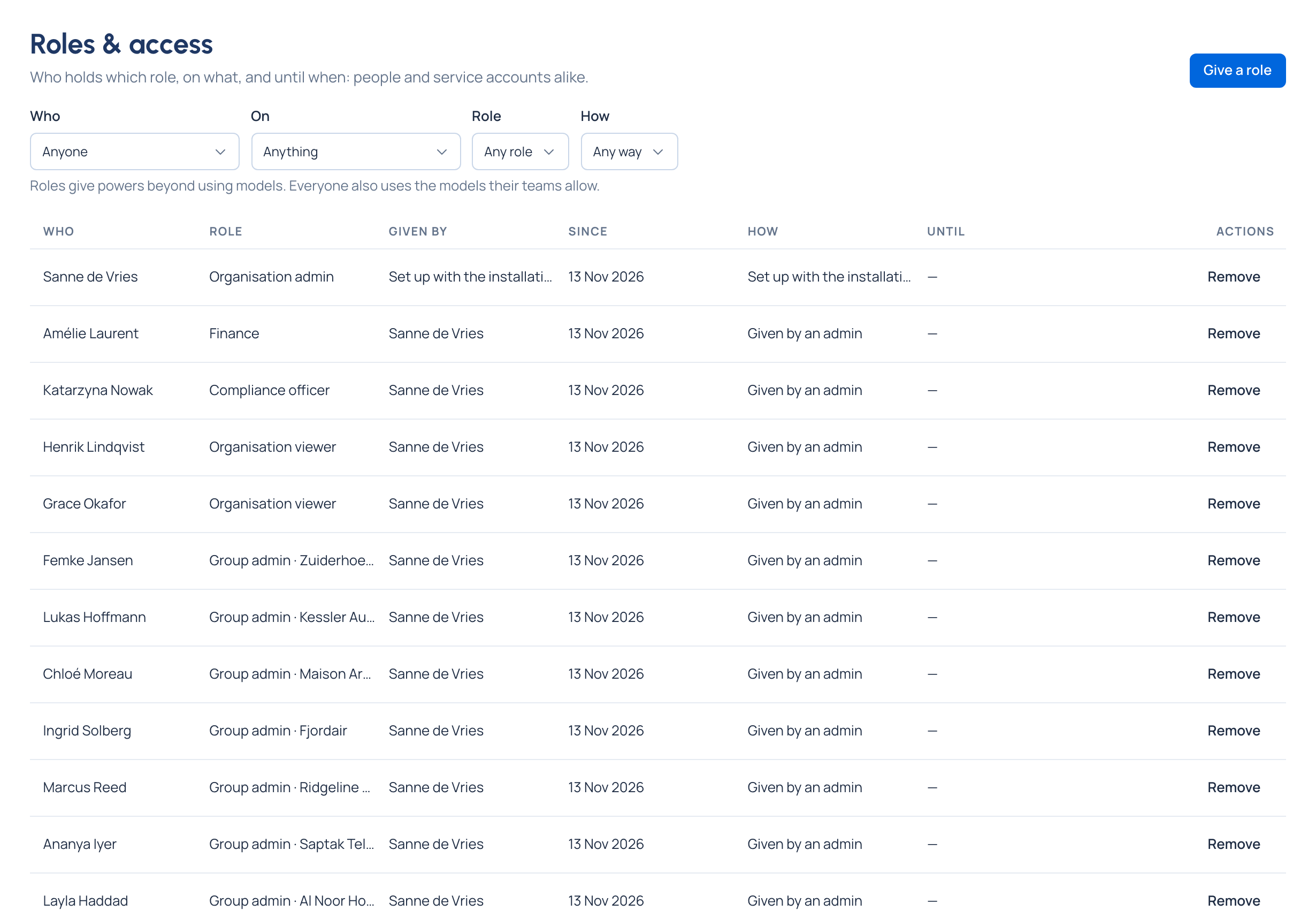
What every role has in common
- Given at a level. A group admin of Kessler Autohaus Network runs Kessler and its sub-teams, nothing else.
- Can end on a date. Any role can carry an Until date; it ends by itself.
- Says how it came. Each role records how it was given: set up with the installation, given by an admin, came with making something (the maker of an agent owns it), or from single sign-on.
- Recorded. Giving and removing a role, and why, goes into the audit log.
Two rules that protect everyone
Call content is its own role. Nobody reads prompts and replies without Content reader, not even an organisation admin or Finance. Every read, and every refused try, is recorded.
Nobody widens their own access alone. Giving yourself more access (a role, a team, extra models) waits for a second admin in Approvals. An organisation with a single organisation admin is never stuck: that admin's changes go ahead, and Home suggests adding a second one. Vidai never lets the last organisation admin be disabled or deleted.
flowchart LR
    A["Group admin asks:<br/>add me to Fjordair"] --> W["Waiting for a second admin"]
    W -->|approved| G["Done, and recorded"]
    W -->|declined| N["Nothing changes"]
When someone leaves
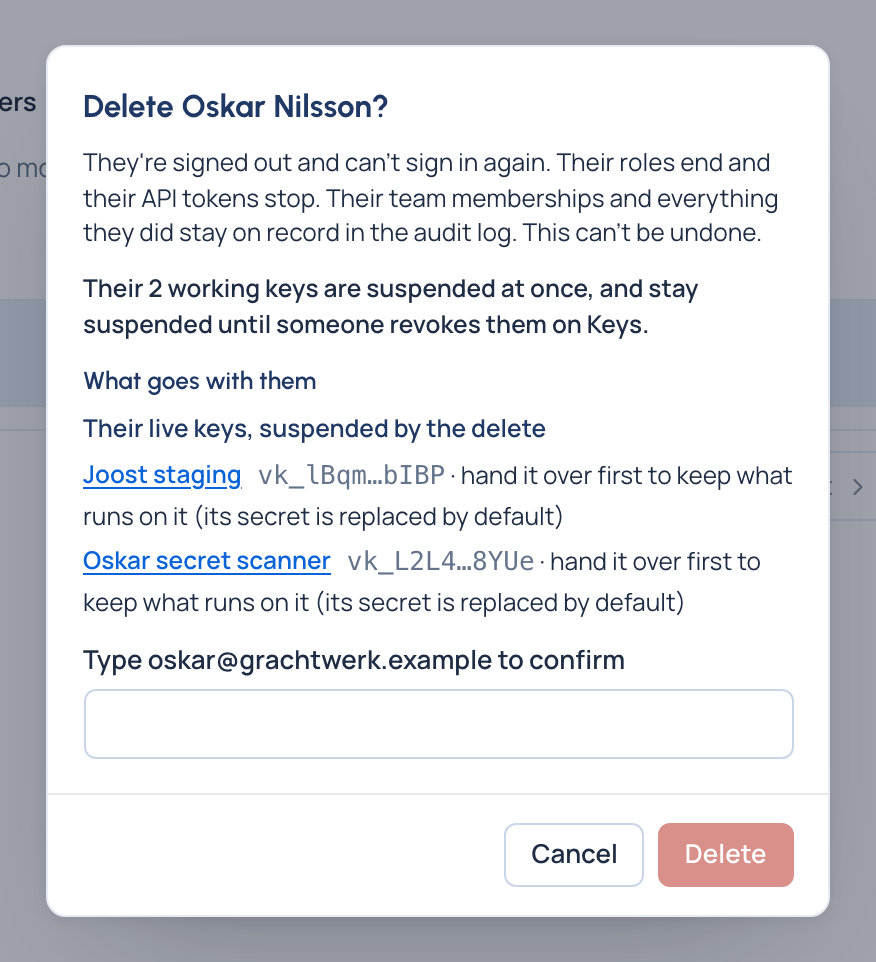
Disable signs a person out everywhere and stops their keys until they're enabled again. Delete first lists what goes with them (each live key, which you can hand over to keep what runs on it; the agents, applications and service accounts they own; the roles that end), then ends their access for good. What they did stays in the audit log.
Related
- Organisation, teams and sub-teams
- Keys: what a person holds to call models
- Service accounts and API tokens: credentials for your own systems
- Exceptions, overrides and approvals
- Audit log