Set key defaults
Set once what every key follows unless it says otherwise: a rate limit for people's keys and for agents' keys, how long an old secret may keep working after a rotation, who is reminded before a key expires, and whether keys nobody uses are suspended on their own. Fewer forgotten keys, fewer runaway callers, without checking key by key.
Before you start
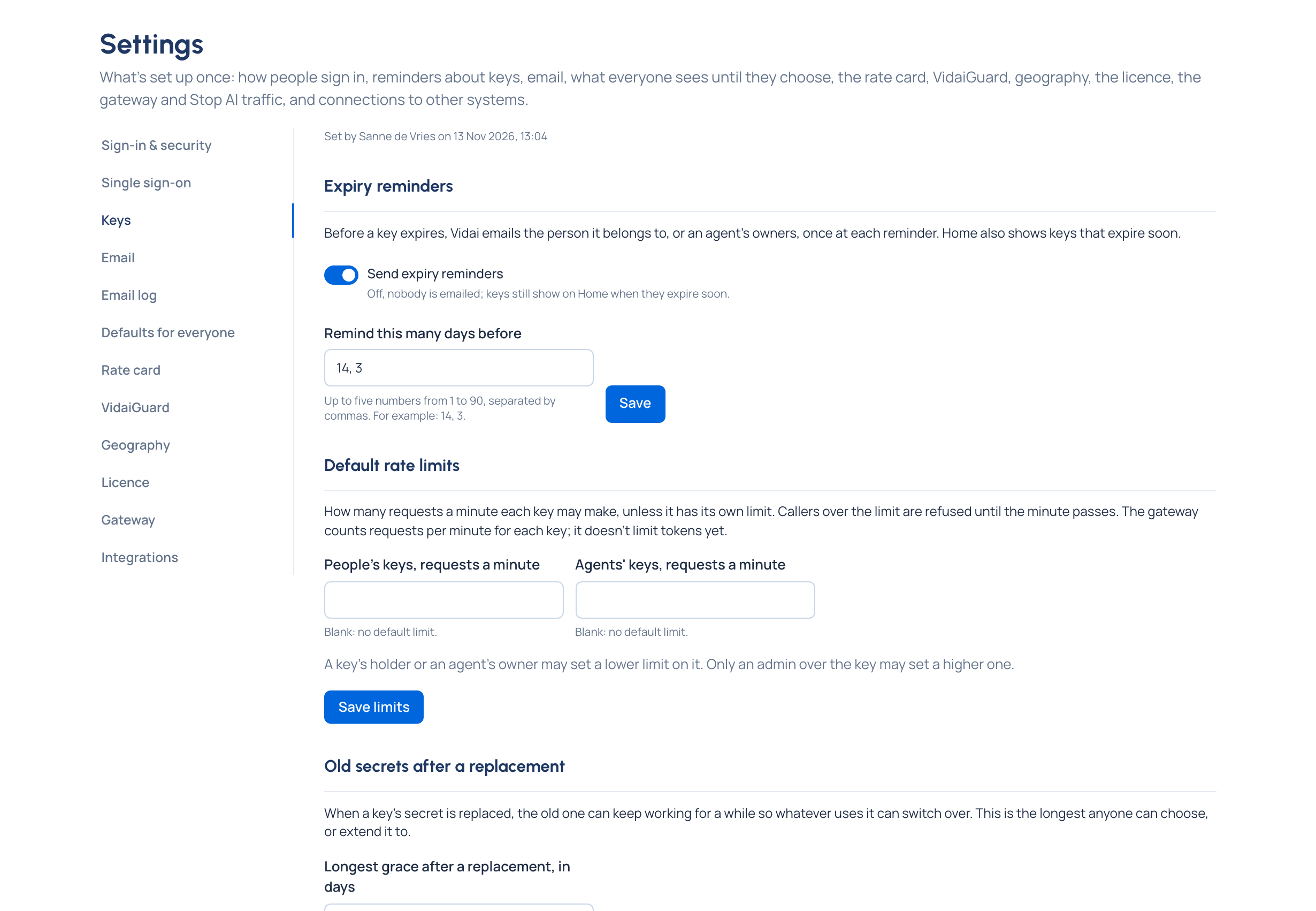
You're an organisation admin. Open Settings › Keys. It says who changed these settings last, and when.
Steps
Default rate limits
- Under Default rate limits, type a number in People's keys, requests a minute and in Agents' keys, requests a minute. Leave a field blank for no default limit (as it starts).
- Choose Save limits. Keys without their own limit follow within seconds; keys with their own limit keep it.
Old secrets after a replacement
- Set Longest grace after a replacement, in days: 1 to 90 (7 to start with).
- Choose Save grace. Nobody can keep an old secret working longer than this after a rotation.
Expiry reminders
- Keep Send expiry reminders on (as it starts) to email a key's holder, or an agent's owners, before it expires.
- In Remind this many days before, type up to five whole numbers from 1 to 90, separated by commas (14, 3 to start with), and choose Save.
Reminders need email set up; the section links to Email if it isn't.
Unused keys
- Tick Suspend keys that aren't used.
- Choose Suspend after this many days unused: 7 to 730 (90 is suggested).
- Choose Save unused keys. Untick and save to switch it off.
Check it worked
- A key without its own limit says, for example, "600 requests a minute (the default)".
- A key suspended for not being used says Unused for the organisation's dormant-key period. Resuming it brings it back and restarts the clock.
Good to know
- Unused time counts from a key's last call, from when it was issued, or from when it was last resumed.
- The gateway counts requests a minute, on each gateway node separately; it doesn't limit tokens. A caller over the limit is refused until the minute passes.
- A key's holder or an agent's owner may set a lower limit than the default; only an admin over the key may set a higher one. While no default is set, anyone who may edit a key can give it any limit, and a key keeps a limit above a default set later.
- With reminders off, nobody is emailed; keys that expire soon still show on Home under Needs attention.