Editions
Vidai comes in two editions, Community and Enterprise. Community is a complete governance platform on its own; Enterprise adds what larger and regulated organisations need. What an Enterprise installation includes depends on the features your licence includes: each Enterprise feature works when your licence lists it.
Feature by feature
| Area | Community | Enterprise adds |
|---|---|---|
| Sign-in | Passwords, multi-factor sign-in, sign-in policy, invitations and resets by email | Single sign-on with your identity provider, groups mapped to teams and roles, the emergency admin |
| People and roles | People, nested teams, roles at every level, Finance, content readers, approvals, the three permissions | The Compliance officer role |
| Automation | Personal access tokens | Service accounts and their tokens |
| Keys and agents | Keys for people and agents, environments, applications and agents, rate limits, expiry reminders, unused-key suspension | — |
| Models and routing | Providers, models, model access, routing rules, A/B experiments, fallback chains | Region rules: keep calls in a region for the organisation, an environment, a team, an application or an agent; calls under a region rule reach only providers with the agreements you require |
| Guardrails | Pattern checks, built-in and your own patterns, packs, policies in observe or enforce, exceptions, findings | VidaiGuard checks: Vidai's own models find what a pattern can't, running beside your gateway |
| Regulations | Follow a regulation, its retention and the policies it proposes; access reviews; data subject requests; risk levels | Coverage per control: enforced, observed only, partly in place or a gap |
| Evidence and audit | The audit log with its tamper-evident chain, and checking it | Sealed evidence on both sides, the gateway's and Vidai's, checked against each other; the auditor report and evidence pack; the configuration each call ran under; the Incidents register |
| Cost | Every call priced, who pays, markups, the billing lock, budgets, exports, what-if | Recompute: price past calls again after a price changes, with a dry run first |
| Dashboards | Admin and FinOps dashboards, the impact report | The Compliance dashboard |
| Getting data out | Cost, calls and audit exports you start yourself | BI push on a schedule to S3-compatible storage, SFTP or a webhook; event webhooks and SIEMs |
| Safety | Stop AI traffic, the guardrails switch, suspending a key, agent, provider or model | — |
What a feature's state means
Settings › Licence (and Your edition, for everyone else) lists each feature with one word:
| State | What it means |
|---|---|
| ✓ Included | It works here |
| ! Needs a licence | This is Enterprise, but your licence doesn't list it. Its page says Your licence doesn't include this; a new licence key switches it on |
| i Needs the Enterprise edition | This installation is Community, so the feature isn't installed at all. Its pages are left out of the menu, or say in one line that it comes with Enterprise |
Nothing on a Community installation points at something it doesn't have. Guardrails there are pattern checks, and no screen names VidaiGuard.
Moving between editions loses nothing
Upgrading needs no migration: features appear as the licence lists them. Going back to Community, or letting a licence lapse past its grace period, deletes nothing:
| Feature | After a downgrade or a lapsed licence |
|---|---|
| Single sign-on | Sign-in falls back to passwords; the emergency admin and people with passwords still sign in |
| Service accounts | Their tokens stop working; the accounts and their roles stay, and come back with the licence |
| Region rules | Keep being enforced, so where data may go never loosens; shown read-only, and can be deleted |
| VidaiGuard checks | Guardrails that use them keep being enforced, shown read-only, and can be deleted; new ones need Enterprise |
| Recompute | A recompute still waiting fails; what past recomputes changed stays |
| Sealed evidence | Sealing pauses; the audit log's chain carries on, and sealing resumes from there with the licence |
| Limits | What exists keeps working; adding more people, keys, agents or service accounts than the licence allows is refused, and Home says so |
A licence problem never stops Vidai: at worst it runs with fewer features. An expired Enterprise licence keeps everything working through a grace period, with a notice that counts the days.
Licence limits
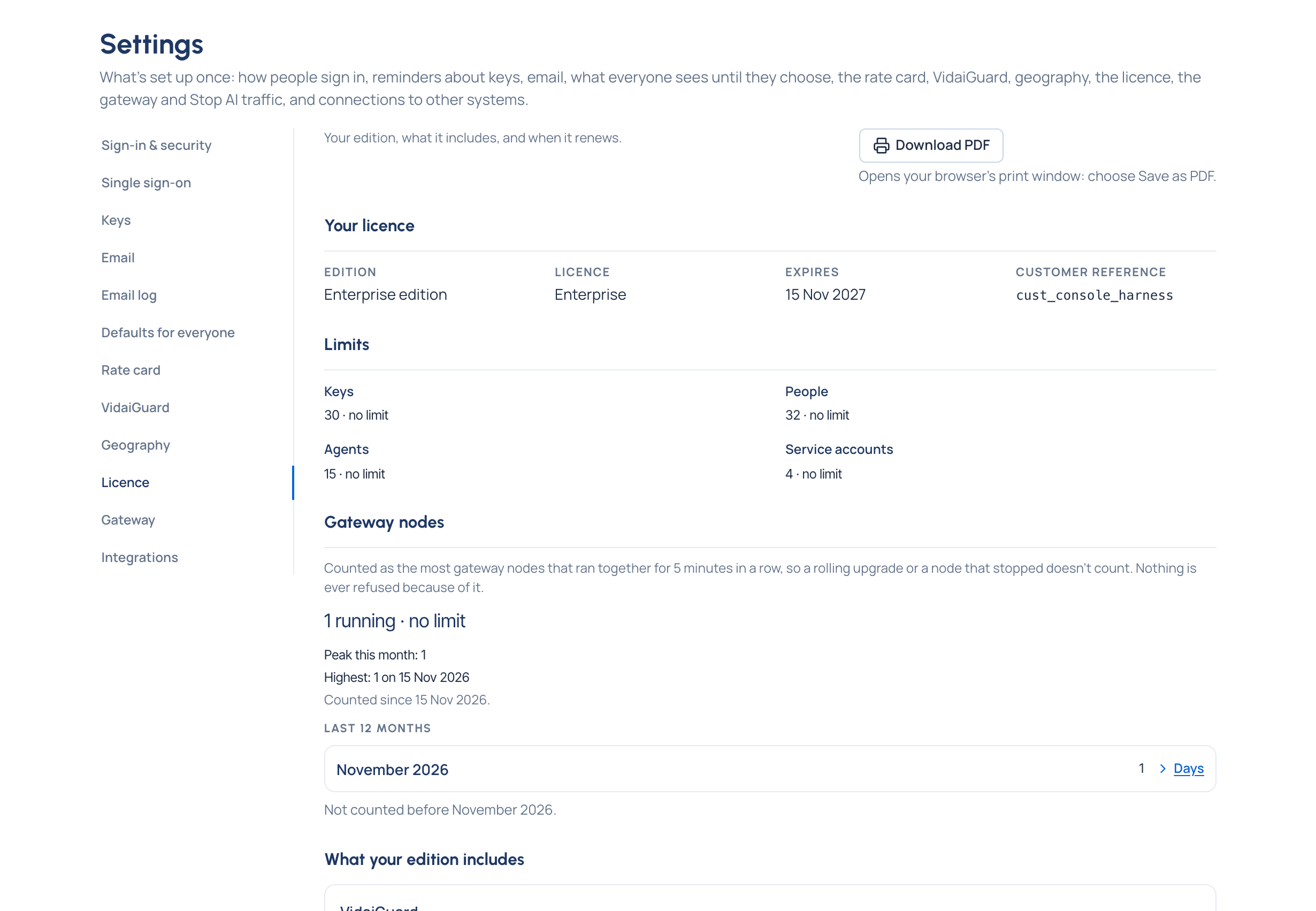
A licence can cap how many people, keys, agents and service accounts you have. Settings › Licence shows each against its cap: Nearly at the limit from 90%, Limit reached at the cap. "No limit" means the licence sets none. At the cap, nothing more of that kind can be created; nothing existing stops working.
A licence can also say how many gateway nodes may run together. That one is counted, never refused: Settings › Licence shows the count against the limit, a deployment may run up to twice the limit for up to an hour, and past that everyone sees a notice until the count comes back under it. See See your licence.