Cost
Provider invoices arrive once a month, with no owner on any line. Vidai prices every call within minutes of it being made and charges it to whoever pays for it, so you can answer "what did AI cost us last month, by team?" on one page, and bill from the answer.
What it is
Every call the gateway carries is recorded, then priced about two minutes later at the price in force when it was made. Each call carries:
- who called: a person, or an agent inside an application;
- who pays: the team the key acts for (for an agent's key, its application's team, or the agent's own team), as it was when the call was made. Moving a key or a team later doesn't move past calls;
- what it cost, in one currency: At list price (what the provider charges) and Charged (list price plus any markup).
flowchart LR
  Call[Call through the gateway] --> Rec[Recorded]
  Rec -->|about two minutes| Price[Priced at the price<br/>in force then]
  Price --> Pays[Charged to who paid then:<br/>team · application · agent · person]
  Pays --> Views[Cost · Budgets · Dashboards · Exports]
Numbers you can rely on
- Priced, free or unpriced. Free is a real zero. Unpriced means the cost is unknown, and it's never counted as $0: every total says how many unpriced calls it leaves out. A call refused before it ran used nothing and is counted apart.
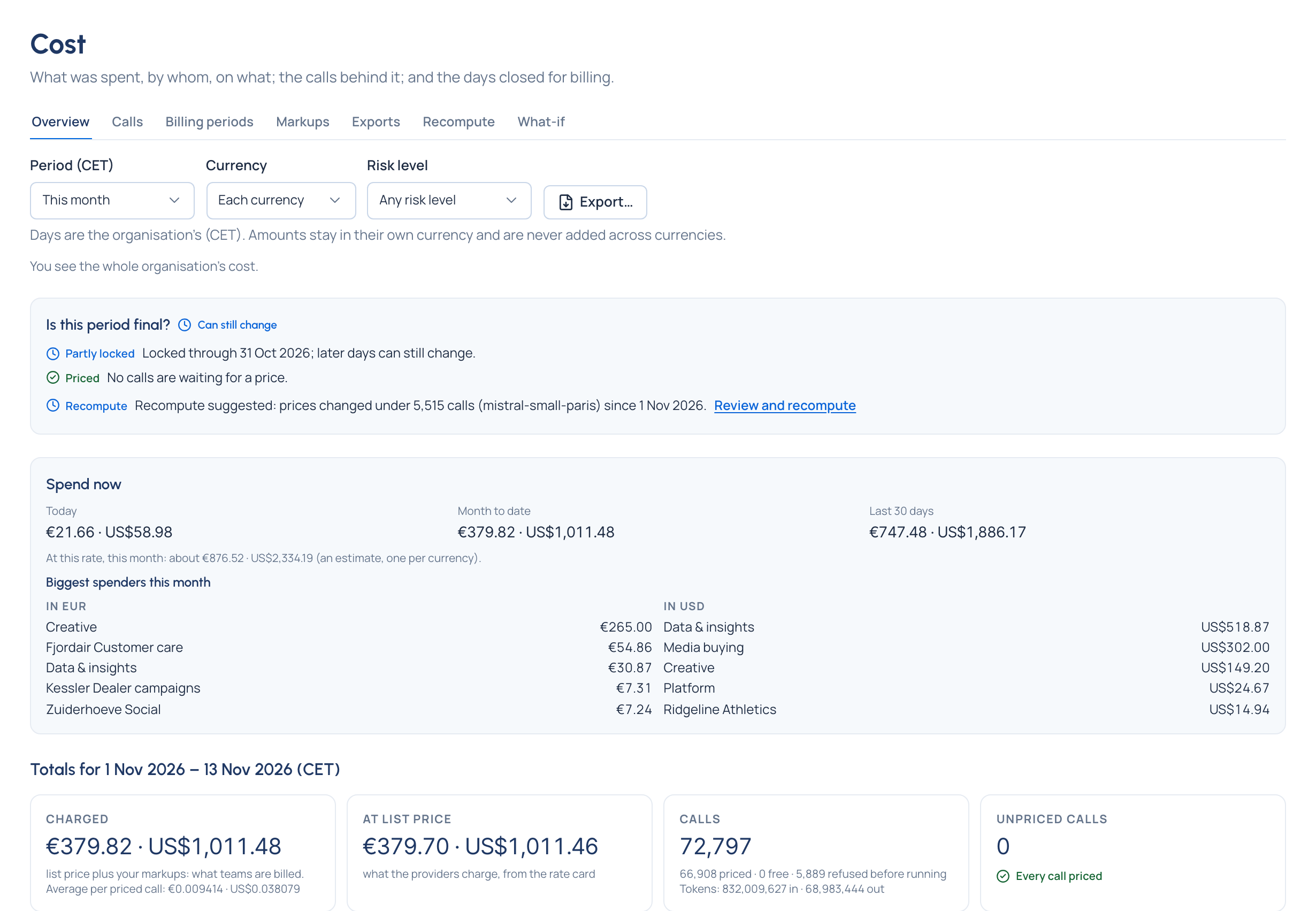
- Every amount in its own currency. A total reads "$1,240.00 · €310.00 · ¥8,500.00", with no grand total. Vidai has no exchange rates, so it never converts, adds or ranks across currencies.
- Is this period final? One strip above the totals says what still keeps the period open: calls waiting for a price, calls with no price, price changes held, a recompute suggested. Final shows only when nothing is left.
- Locked days never change. Once days are locked for billing, a late call or a correction that reaches them is counted on the first open day as an adjustment, saying which day it belongs to.
- Names stay after a delete. A team, model or key deleted after it spent keeps its name in every list and export, so last month's figures still read the way they did.
What you see on screen
Money › Cost has these tabs:
| Tab | What it's for |
|---|---|
| Overview | Spend now (today, month to date, the last 30 days, the run rate), totals for the period, and Cost by team, person or agent, application, environment, key, provider or model, with the period before beside each row |
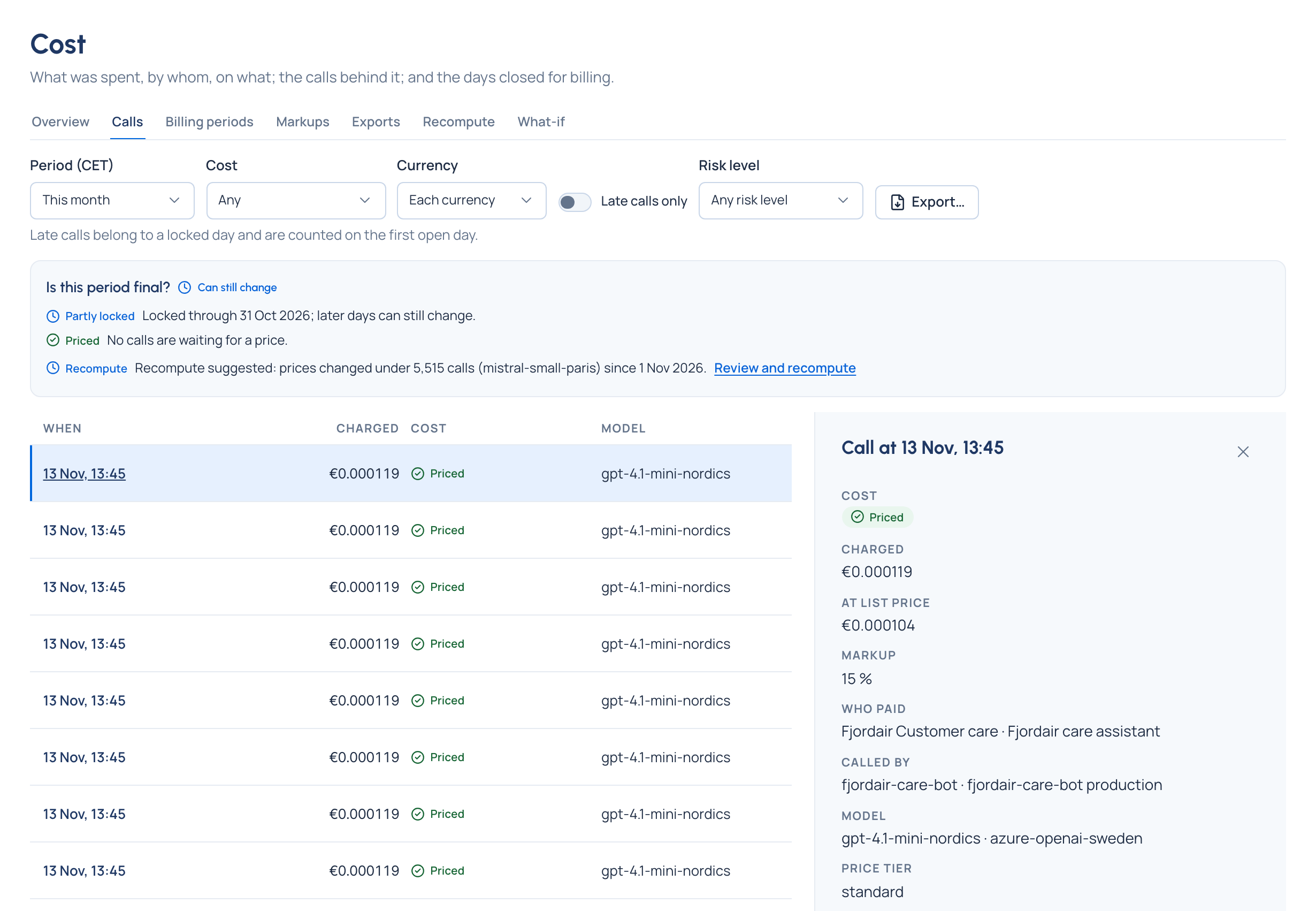
| Calls | Every call with its cost. Open one to see how it was priced: each part as quantity × rate, the rate-card line, and the price version in force at the time |
| Billing periods | The billing lock: every day up to a chosen day made final, with a reason |
| Markups | Charge teams more (or less) than the provider charges, per organisation, provider or team. The most specific wins |
| Exports | Files you asked for in the last 7 days, each with its SHA-256 so a copy can be checked |
| Recompute | Price past calls again Enterprise |
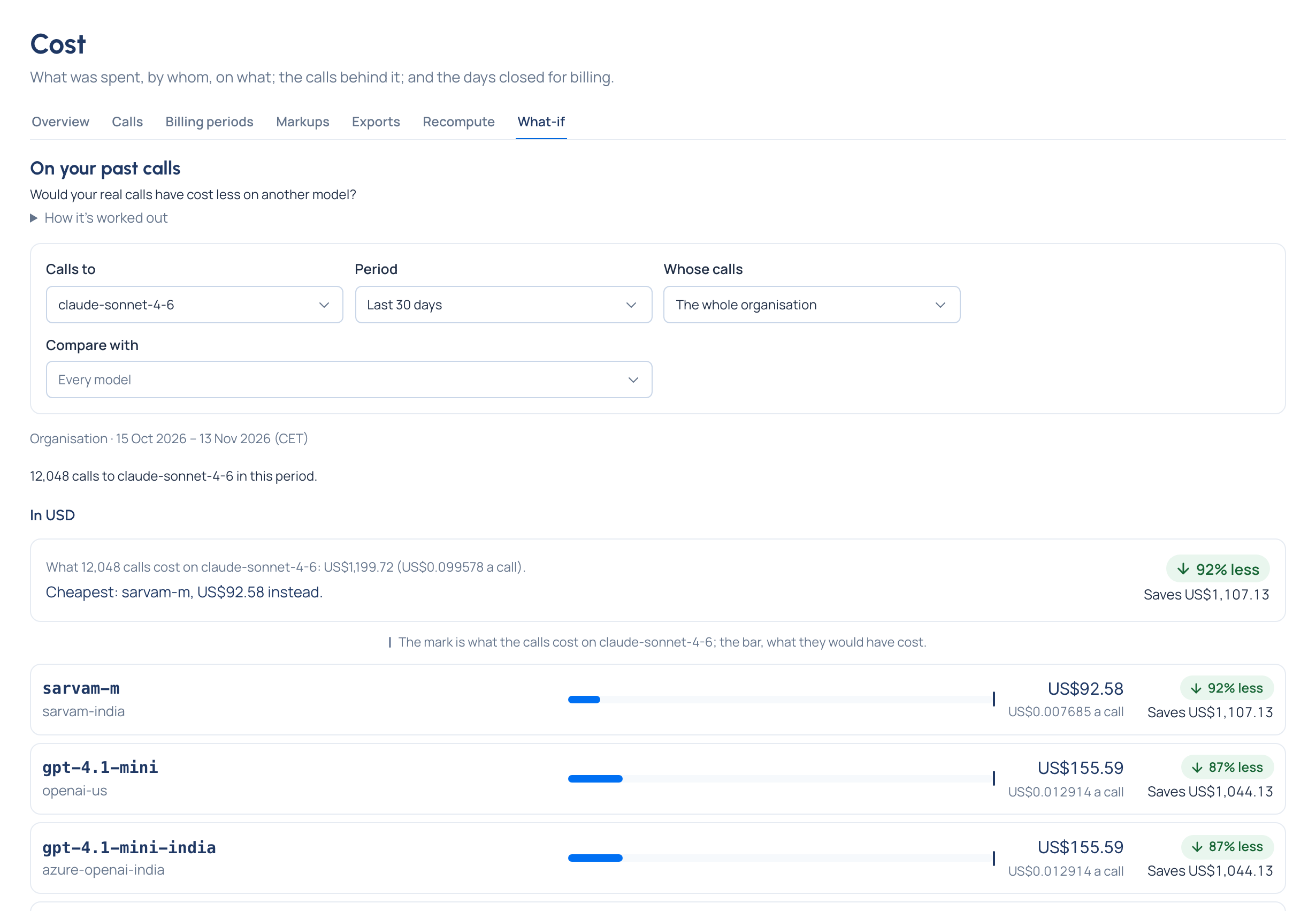
| What-if | What your real past calls would have cost on other models, and a price calculator |
Who sees it: organisation admins, organisation viewers and Finance see the whole organisation; group admins see the calls charged to their teams; everyone else sees the cost of their own keys' calls.
What-if on past calls
Choose the model your calls asked for, a period and whose calls. Vidai prices those real calls, each with its own usage, on every model they could have used instead, and opens with the answer: "Cheapest: gpt-4.1-mini, US$79.40 instead." Models are compared one currency at a time, and a model that couldn't take the same kind of call, or that those keys can't use, is listed apart with the reason. It's a guide from list prices, not a forecast: answer quality isn't compared. A saving you like becomes a routing rule.
Correcting the past Enterprise
A price that arrived late or was corrected changes new calls only. A recompute prices past calls again, for the whole organisation, a team or a provider, always starting with a dry run that shows what would change: open days updated, locked days corrected by adjustment, and every budget whose spend would move. Apply asks you to type the team's or provider's name first. Every call it changed is listed before and after. What Enterprise includes depends on the features your licence includes. On Community, cost is complete without it: new calls use the price in force, and calls already costed keep their cost.
Related
- Prices and the rate card
- Budgets: limits that act on this spend
- Request logs: the same call, with what happened to it
- Dashboards and the impact report: the FinOps view
- Organisation and teams: who pays follows the teams